ZodiacVibe — Free Creative & Media Website Template
ZodiacVibe is a free HTML5 template built with Tailwind CSS and vanilla JavaScript, designed for astrology and creative media websites. It ships six static HTML pages—home, about, services, blog, blog detail, and contact—plus a contact/newsletter form ready for lead capture. All CSS is hand-written with no heavy animation libraries, and only three local images are bundled, keeping the package at 2.2 MB.
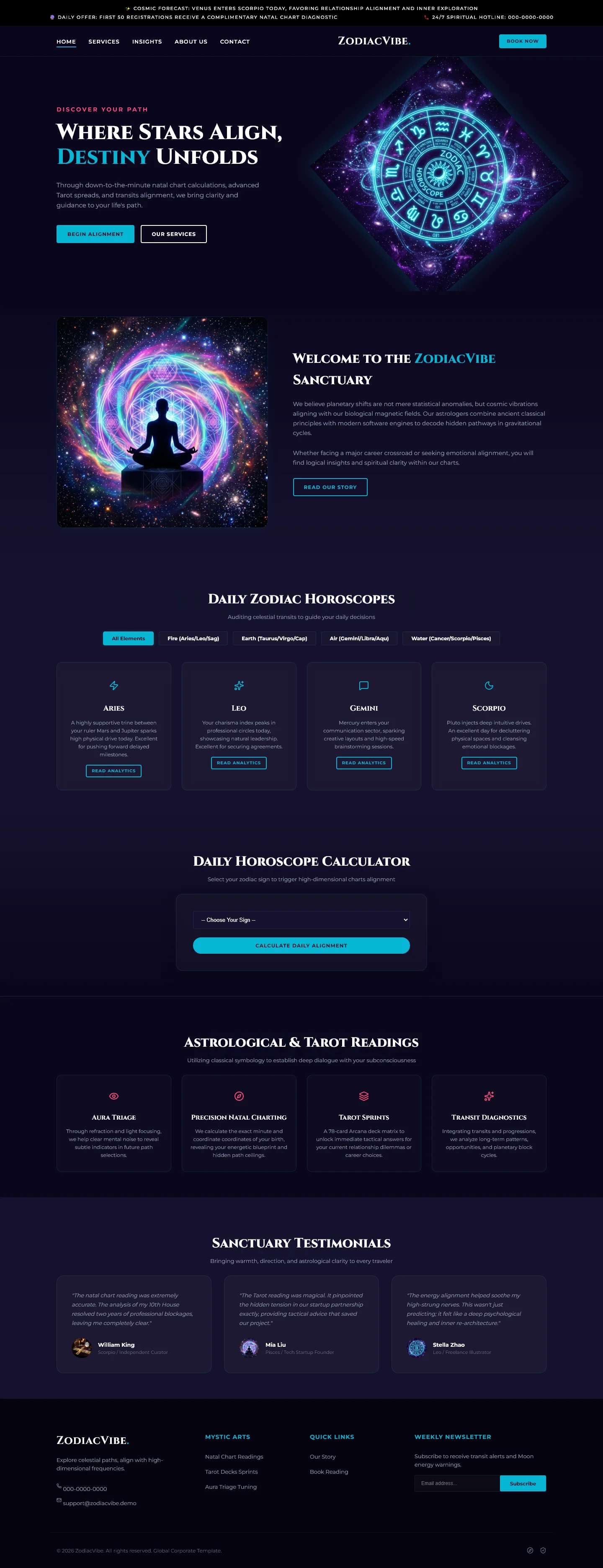
The homepage organizes content into five clear sections: Where Stars Align, Destiny Unfolds, Daily Zodiac Horoscopes, Daily Horoscope Calculator, and Astrological & Tarot Readings, with a Sanctuary Testimonials block. It’s a lean, developer-friendly starting point for sites that need structure without bloat.
Key Features
- Daily Zodiac Horoscope Feed Generator
- Tarot Reading Booking System
- Natal Chart Calculator Widget
- Astrological Analytics Dashboard
| Tech Stack | HTML5, Tailwind CSS, JavaScript |
| Release Date | 2026-07-05 |
| License | Free (Must keep footer backlink) |
Suitable For & Use Cases
Ideal for astrologers, spiritual coaches, metaphysical boutique owners, and creative agencies offering zodiac-themed branding or content services. Especially useful for consultants who want to sell chart readings or scheduled consultations directly through their site. Not suited for e-commerce stores selling physical products or heavy media streaming platforms. Creative freelancers and independent content creators building personal websites.
Page Sections Included
The homepage features a Where Stars Align hero introduction, a Destiny Unfolds section, a Daily Zodiac Horoscopes feed, a Daily Horoscope Calculator area, an Astrological & Tarot Readings services overview, and a Sanctuary Testimonials block. Supporting pages include an about section, a services listing, a full blog archive, individual blog detail layout, and a contact form page.
Why We Recommend
ZodiacVibe gives you a clean, purpose-built foundation for astrology or tarot businesses without framework overhead. The hand-written CSS and absence of animation libraries keep the bundle small and fast. Six ready-to-edit pages plus an included contact form mean you can launch a working site quickly. Tailwind CSS makes layout changes straightforward with no complex build pipeline required.
Technical Specifications
Built with HTML5, Tailwind CSS, and vanilla JavaScript. Customize colors and spacing through Tailwind's configuration file. Replace placeholder text and section content directly in the HTML files. No CMS or database is required. Host static output on any standard web server or CDN.
Ideal Use Case
Independent astrologers and tarot readers can deploy this template as a lightweight storefront that presents daily horoscopes, booking information, and a contact form without relying on a CMS. Small creative studios offering astrology services can use the blog and services pages to showcase offerings and collect inquiries directly through the included form.