ยินดีต้อนรับสู่ EcoPest Shield — เทมเพลตเว็บไซต์ Home Services ฟรี
EcoPest Shield เป็นเทมเพลต HTML5 ฟรีที่สร้างมาเพื่อบริษัทควบคุมศัตรูพืชและผู้ให้บริการบ้านที่ต้องการ presença อย่างเป็นมืออาชีพ มุ่งเน้นการนำทาง โดยไม่ต้องพึ่งพาไลบรารีหนัก ประกอบด้วยเจ็ดหน้าพร้อมใช้ — หน้าหลัก, เกี่ยวกับเรา, บริการ, รายละเอียดบริการ, ราคา, ติดต่อ, และหน้า ecopest เฉพาะ — เพื่อให้คุณเริ่มต้นได้เร็วและเติมเนื้อหาของคุณเอง
โค้ดมีความสะอาดและเป็นสัемนติก มีส่วนหัวที่จัดโครงสร้างไว้แล้วตาม funnel ของบริการบ้านทั่วไป: หัวข้อหลัก, ภาพรวมบริการ, สัญญาณความเชื่อถือ, คำชม, และข้อความกระตุ้นให้ดำเนินการ มีฟอร์มติดต่อ/ข่าวสาร และเลย์เอาต์ใช้ CSS ที่เขียนด้วยมือแทนไลบรารีแอนิเมชันหนัก ทำให้ขนาดแพคเกจอยู่ที่ 5.7 MB และมีไฟล์ภาพเพียงสองไฟล์
เนื่องจากหลีกเลี่ยงการพึ่งพาเฟรมเวิร์กขนาดใหญ่ เทมเพลตนี้จึงตรวจสอบ ปรับแต่ง และนำไปใช้งานได้ง่าย นักพัฒนาที่ชอบควบคุมสเปรชชีตโดยตรงแทนไฟล์การตั้งค่า จะพบว่าปรับได้ง่ายกว่าทางเลือกที่เน้น utility-first
คุณสมบัติเด่น
- การควบคุมศัตรูพืชที่เป็นมิตรต่อสิ่งแวดล้อม
- บริการที่พักอาศัย
- บริการเชิงพาณิชย์
- บริการในวันเดียวกัน
| เทคโนโลยี | HTML5, Tailwind CSS, JavaScript |
| วันที่เปิดตัว | 2026-07-05 |
| สัญญาอนุญาต | ฟรี (ต้องคงลิงก์เครดิตที่ส่วนท้าย) |
เหมาะสำหรับและกรณีการใช้งาน
Frontend developers building local service sites for SMEs in Thailand — especially those targeting homeowners or small shop owners who need pest control. Perfect if you're working with agencies that serve residential or commercial clients in Bangkok, Chiang Mai, or Phuket. Also great for freelancers who want to deliver polished, ready-to-deploy templates quickly — no custom coding needed beyond basic Tailwind config changes.
ส่วนประกอบของหน้าเว็บ
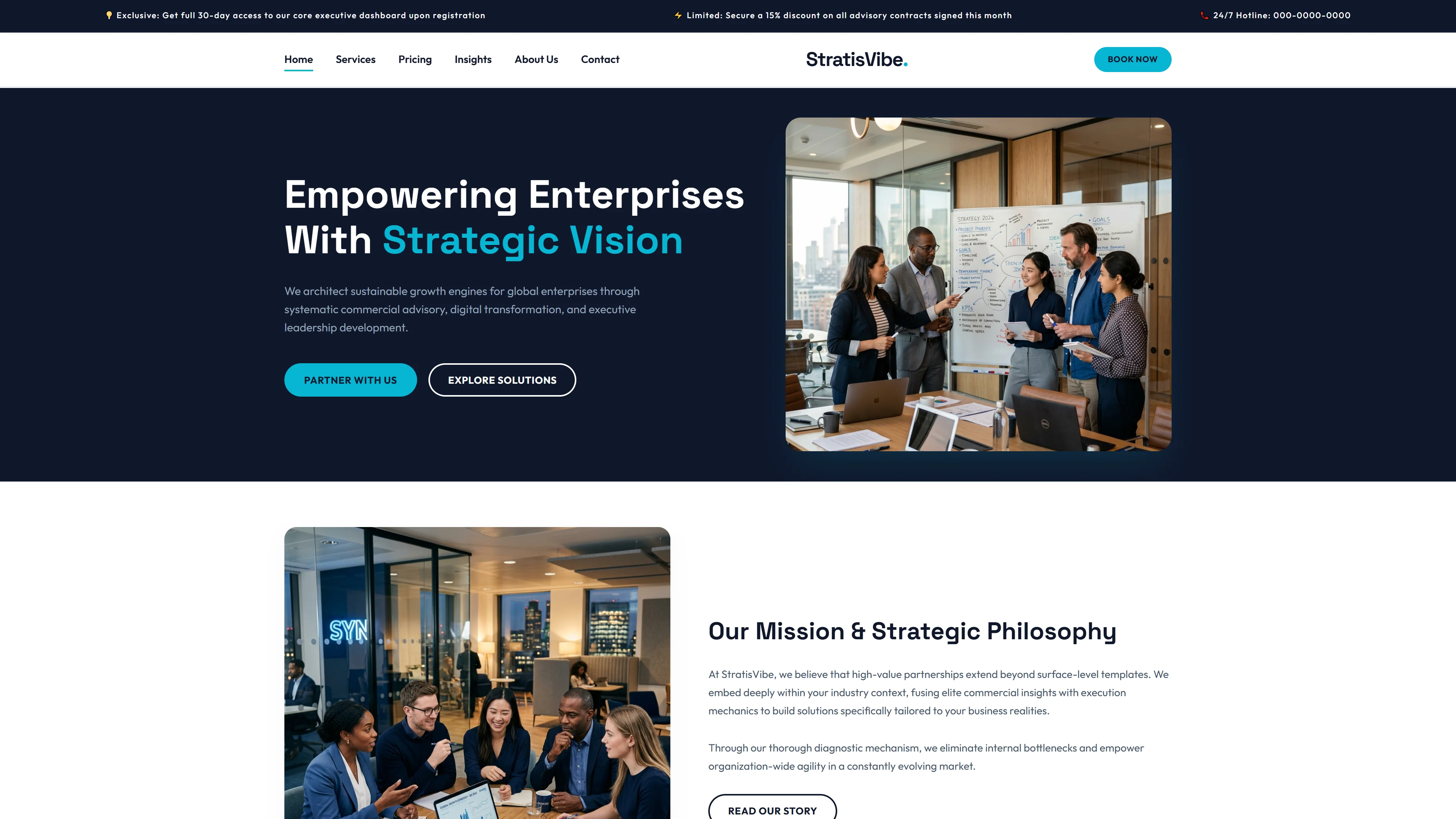
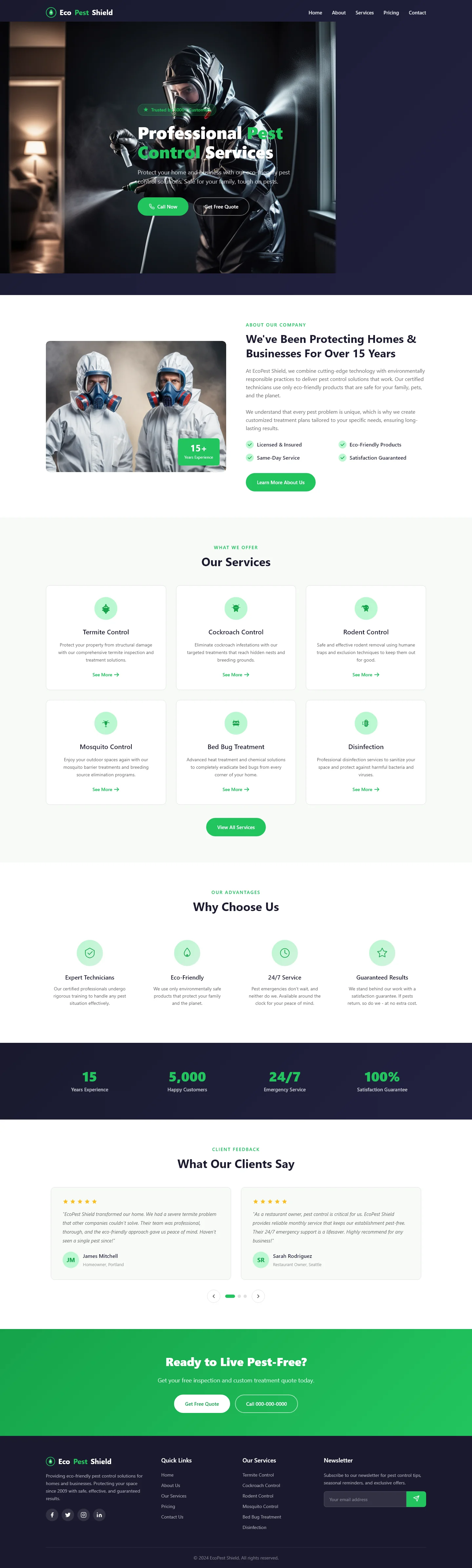
ประกอบด้วย hero area พร้อม headline 'Professional Pest Control Services', ส่วน 'We've Been Protecting Homes & Businesses For Over 15 Years', Our Services, Why Choose Us, testimonials จาก What Our Clients Say, และ call-to-action Ready to Live Pest-Free? พร้อม additional pages ครอบคลุม about, contact, ecopest, pricing tiers และ service detail breakdowns โครงสร้างเป็น multi-page home services site แบบสมบูรณ์
ทำไมเราถึงแนะนำ
โครงสร้างสะท้อนเส้นทางการตัดสินใจของเจ้าของบ้านที่กำลังศึกษาบริการควบคุมศัตรูพืช ทำให้การปรับแต่งรู้สึกเป็นธรรมชาติ ไม่ใช่การฝืนใจ การไม่มีไลบรารีแอนิเมชันหมายความว่ามีส่วนที่ต้องแก้ไขน้อยกว่าเมื่อเปลี่ยนสี ฟอนต์ หรือส่วนต่างๆ เจ็ดหน้า HTML แบบ static ยังทำให้โฮสต์ได้ทุกที่ — GitHub Pages, Netlify หรือเซิร์ฟเวอร์ร่วม — โดยไม่ต้องใช้ build tooling หรือ runtime dependencies นับเป็นจุดเริ่มต้นที่เป็นประโยชน์สำหรับทีมที่ต้องการเคลื่อนไวในส่วนของเนื้อหา ไม่ใช่ต่อสู้กับเฟรมเวิร์ก
ข้อมูลจำเพาะทางเทคนิค
ต้องการเซิร์ฟเวอร์ HTML พื้นฐานหรือโฮสติ้งแบบ static; ไม่ต้องมีขั้นตอน build ถ้าต้องการปรับแต่งสเปรชชีตเอง ให้ใช้โปรแกรมแก้ไขข้อความใดๆ และแก้ไข CSS ที่เขียนด้วยมือโดยตรง การรองรับเบราว์เซอร์เป็นไปตามมาตรฐาน HTML5 และ CSS รุ่นใหม่ ไม่จำเป็นต้องใช้ไลบรารี JavaScript จากที่อื่น แต่สามารถเพิ่ม jQuery หรือสคริปต์ vanilla ได้หากต้องการตรวจสอบฟอร์มแบบกำหนดเองหรือเชื่อมต่อระบบอื่น
กรณีการใช้งานในอุดมคติ
ผู้ประกอบการควบคุมศัตรูพืชในท้องถิ่น บริษัทจัดการทรัพย์สิน และบริการกำจัดแมลงของเทศบาล สามารถนำเทมเพลตนี้ไปใช้งานเป็นเว็บไซต์โบรชัวร์ขนาดเบา พร้อมฟอร์มติดต่อเพื่อรับคำขอใบเสนอราคาและนัดหมาย บริการ франши ระดับภูมิภาคสามารถใช้หน้าราคาและรายละเอียดบริการเพื่อมาตรฐานเดียวกันในทุกสาขา ในขณะที่ยังคงน้ำหนักหน้าเว็บให้ต่ำสำหรับเครือข่ายความเร็วต่ำ องค์กร phi profit ที่มุ่งเน้นการจัดการศัตรูพืชแบบผสมผสาน หรือการศึกษาชุมชน สามารถปรับแต่งส่วน ecopest และพื้นที่คำชมเพื่อใช้ในเกมรณรงค์สร้างความตระหนัก