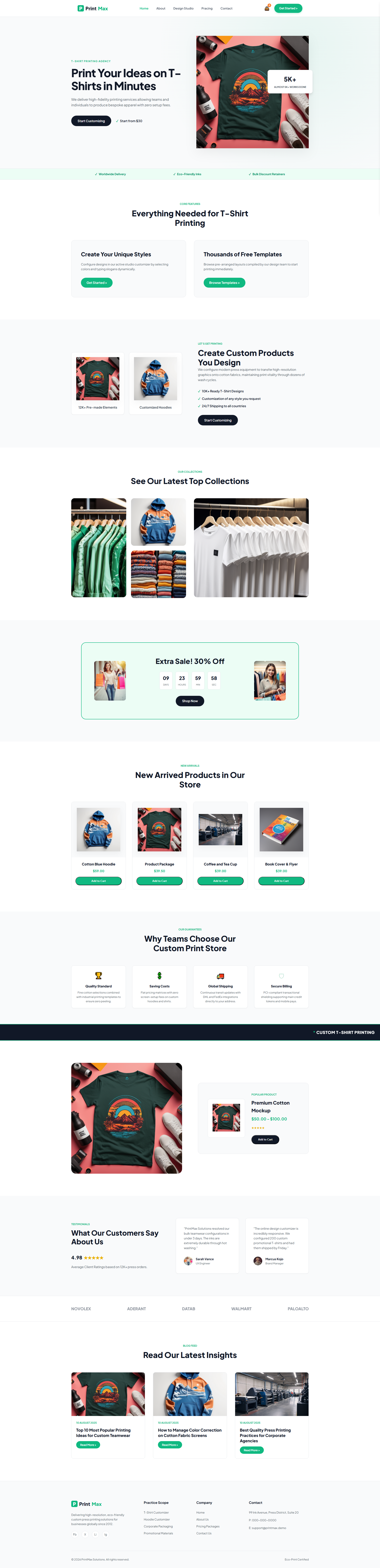
PrintMax Solutions — Free Printing Services Website Template
PrintMax Solutions is a free HTML5 template tailored for printing service businesses and custom apparel shops. It ships with four complete pages—index.html, about.html, contact.html, and customizer.html—giving owners a ready-to-use online presence without building from scratch. The design relies on hand-written CSS and Tailwind utility classes, keeping the 4.7 MB package lightweight and easy to customize.
The customizer page features a JavaScript-powered quote calculator that estimates pricing based on material, quantity, and finish selections. A sticky CTA header guides visitors toward the contact form or quote tool. All HTML forms include client-side validation and can connect to serverless services like Formspree or Netlify Forms. The layout uses semantic HTML5, responsive grid breakpoints at 640px, 768px, and 1024px, and comes with ten local placeholder images ready for replacement.
Key Features
- Custom Printing Workflow Integration
- Design Template Gallery with Drag-and-Drop Editor
- Enterprise Order Management Dashboard
- Personalized Client Booking System
| Tech Stack | HTML5, Tailwind CSS, JavaScript |
| Release Date | 2026-07-05 |
| License | Free (Must keep footer backlink) |
Suitable For & Use Cases
Ideal for print shop owners, small business operators, marketing agencies offering in-house printing, and local manufacturers needing a quick site launch. Specifically suited for owners managing B2B orders, packaging design services, or high-volume personal printing (e.g., event materials, branded merch). Not suited for large-scale e-commerce platforms requiring inventory management, payment gateways beyond Stripe/PayPal, or multi-user CMS dashboards.
Page Sections Included
The index page features sections titled Print Your Ideas on T-Shirts in Minutes, Everything Needed for T-Shirt Printing, Create Custom Products You Design, See Our Latest Top Collections, New Arrived Products in Our Store, and Why Teams Choose Our Custom Print Store. Additional pages include about, contact, and a customizer page. The layout supports responsive design with sections that adapt to mobile screens below 768px.
Why We Recommend
This template treats a print shop site as a functional sales asset rather than a static brochure. The built-in quote calculator gives visitors immediate pricing feedback, reducing friction before they reach the contact form. With no animation libraries, no build step required, and hand-written CSS that is simple to modify, it is practical for small teams or solo operators who need to go live quickly without managing dependencies.
Technical Specifications
Tailwind v3.4 with PostCSS config for customization. Node.js recommended for local edits. Serve static files via Nginx, GitHub Pages, or any static host. Replace the ten included local images with your own assets. Edit text directly in the HTML files; no hidden layers or framework build step required.
Ideal Use Case
Ideal for small-format and custom apparel print shops that want an online quote tool and lead-capture forms without a CMS. Also suitable for team merchandise vendors, event print-on-demand services, and local branding shops that need a responsive site with a product customizer flow and straightforward contact workflow.




