CuraTrust — Free Healthcare & Medical Website Template
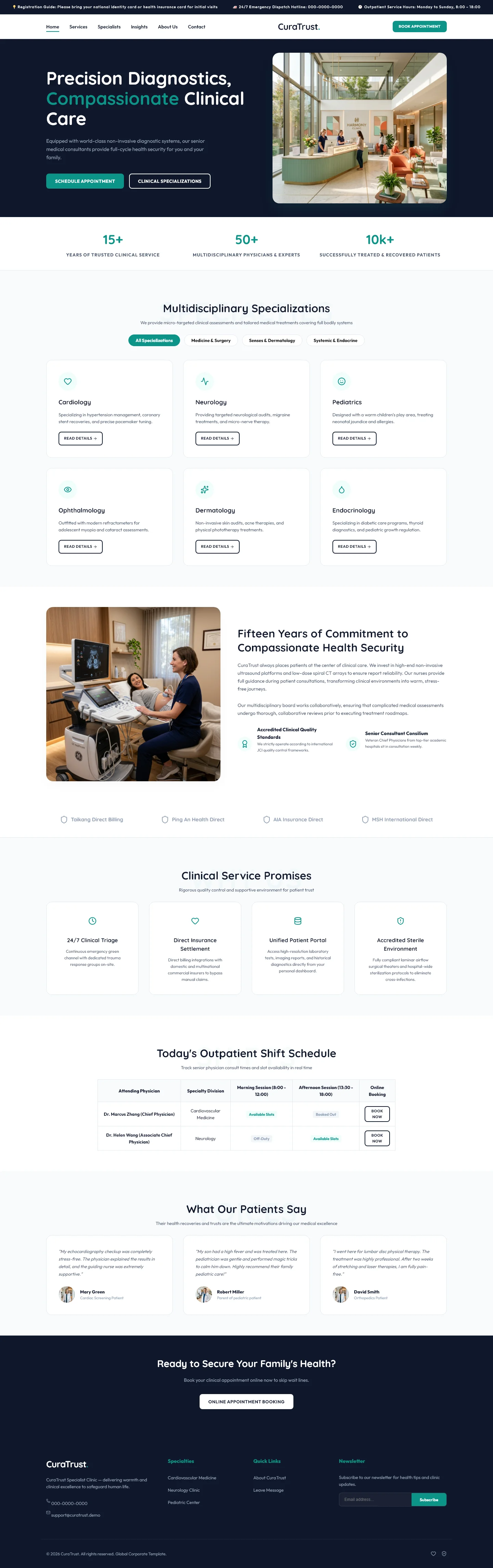
CuraTrust is a healthcare and medical website template built with HTML5, Tailwind CSS, and hand-written CSS. It includes seven static HTML pages covering a homepage, about, services, doctors, blog, blog detail, and contact sections. The layout emphasizes clarity and trustworthiness with section headings for precision diagnostics, compassionate clinical care, multidisciplinary specializations, clinical service promises, outpatient scheduling, and patient testimonials.
A built-in contact and newsletter form supports lead capture, while the clean utility-first CSS structure keeps the template lightweight and easy to customize. With four local images and no heavy animation libraries, the design prioritizes fast rendering and straightforward editing. The template is well suited for clinics, diagnostic centers, counseling practices, and senior-care providers.
Its responsive breakpoints ensure solid display across mobile, tablet, and desktop viewports without requiring additional tooling beyond Tailwind CSS.
Key Features
- Clinical Diagnostics Page
- Cardiology Services Section
- Pediatric Care Module
- Advanced Healthcare Features
| Tech Stack | HTML5, Tailwind CSS, JavaScript |
| Release Date | 2026-07-05 |
| License | Free (Must keep footer backlink) |
Suitable For & Use Cases
Private clinic owners, medical consultants, cardiology centers, pediatric practices, and diagnostic labs looking for a clean, fast, free website. Also great for telehealth startups or solo practitioners wanting to build credibility quickly. Not suited for large hospitals needing HIPAA-compliant dashboards or multi-location management tools. Counseling centers and senior care nursing facilities.
Page Sections Included
Includes 7 HTML pages (index + about, blog-detail, blog, contact, doctors, services). Homepage sections: Precision Diagnostics, Compassionate Clinical Care, Multidisciplinary Specializations, Clinical Service Promises, Today's Outpatient Shift Schedule, What Our Patients Say. 4 local images and a working form markup are included. Styling is Tailwind CSS with compiled static CSS files.
Why We Recommend
CuraTrust delivers a clean, professional healthcare layout with zero bloat. The seven-page structure covers all essential clinic sections, and the included contact form provides immediate functionality. Hand-written CSS alongside Tailwind makes customization straightforward without fighting framework overrides. The absence of heavy animation libraries keeps the template light and maintainable for small medical teams.
Technical Specifications
A basic text editor and modern browser are sufficient. Tailwind CSS must be configured via CLI or CDN for color and font customization. The template is fully static HTML, so no backend is required. Deploy by uploading to Netlify, Vercel, or shared hosting. Compatible with Chrome, Safari, and Firefox on screens from 320px upward.
Ideal Use Case
Solo practitioners launching a new clinic can deploy CuraTrust quickly using only a browser and text editor. Counseling centers and outpatient diagnostic labs benefit from the dedicated services and doctors pages. Senior-care facilities can adapt the testimonial and scheduling sections for their outreach pages without hiring a developer.