JennyCraft — Free Business & Consulting Website Template
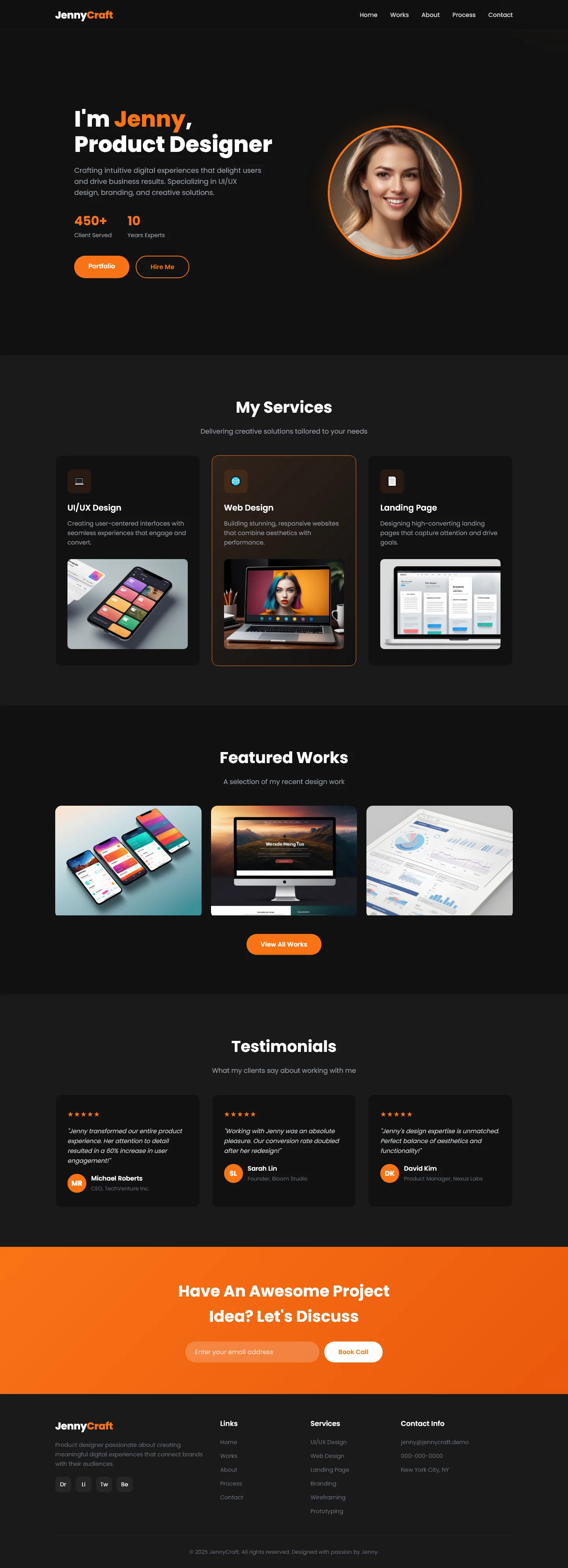
JennyCraft is a free Business & Consulting template built with HTML5 and Tailwind CSS. It includes 6 HTML pages—index, about, contact, jennycraft, process, and works—designed for agencies and freelance designers showcasing services and portfolio work. The template uses hand-written CSS alongside Tailwind utility classes, with mobile breakpoints at 640px, 768px, and 1024px. Section headings on the index page guide visitors through: 'I'm Jenny', 'Product Designer', 'My Services', 'Featured Works', 'Testimonials', and a call-to-action to discuss projects. The package size is 2.4 MB and includes 14 local images. A Google Fonts dependency provides typography, and an HTML contact/newsletter form is included for lead capture.
Key Features
- Hero Section with Lead Capture Form
- Service Cards with Interactive Hover Effects
- Client Testimonial Carousel
- Footer Newsletter Signup
| Tech Stack | HTML5, Tailwind CSS, JavaScript |
| Release Date | 2026-07-05 |
| License | Free (Must keep footer backlink) |
Suitable For & Use Cases
Marketing consultants, freelance branding agencies, local business coaches, and SaaS onboarding teams who need a fast, professional site in under an hour. Ideal for consultants pitching to clients in finance, tech, or retail who value clarity over flash. Not suited for e-commerce stores requiring cart functionality or multi-user dashboards. UI/UX designers building client-acquisition websites and freelance front-end developer portfolios.
Page Sections Included
The template includes a full-screen hero with embedded contact form, three animated service cards with SVG icons, a testimonial slider with autoplay control, a stats counter section for KPI display, a simple FAQ accordion, and a minimal footer with social links and newsletter field. All sections collapse gracefully below 768px—cards stack vertically, the slider becomes swipe-enabled, and the FAQ turns into expandable accordions using native
Why We Recommend
This template delivers a clean, professional structure without unnecessary bloat. The 6-page layout covers essential business needs—portfolio showcase, services, process explanation, and contact. Hand-written CSS combined with Tailwind gives developers control over styling while keeping the codebase lightweight. The inclusion of a contact form and testimonial section makes it ready for client-facing use out of the box.
Technical Specifications
Requires Node.js v18+ and npm to install dependencies. Run npm install tailwindcss@3.4 to set up. Customize colors in tailwind.config.js with brand hex codes. Enable JIT mode for faster builds. Use VS Code with the Tailwind IntelliSense plugin for class suggestions. Avoid inline styles and prefer class stacking. Optimize the 14 local images before deployment.
Ideal Use Case
Freelance product designers and small consulting agencies can deploy this template to present their services, case studies, and client testimonials on a single domain. The process and works pages help explain methodology and showcase project outcomes to prospects without requiring custom development.